

Plan feeds and connections for live event delivery
Plan the feeds required for each event, define technical connections and hand work to MCR operators with readiness and changes in view.
Built for feed planners, technical coordinators and MCR operators.
Feed Overview
6 Active FeedsPlan technical signal delivery around the event
A feed task can contain one or more signal deliveries. Each feed has its own technical details and connection path, while the task stays linked to the event.
Event-based feed tasks
Plan the feeds needed for an event without creating a separate feed schedule
Connections and instructions
Define technical details and the ordered connection path for each feed
Changes affect delivery
Time or routing changes can require the feed plan to be reviewed and updated
MCR operators can prepare, execute and complete feed work
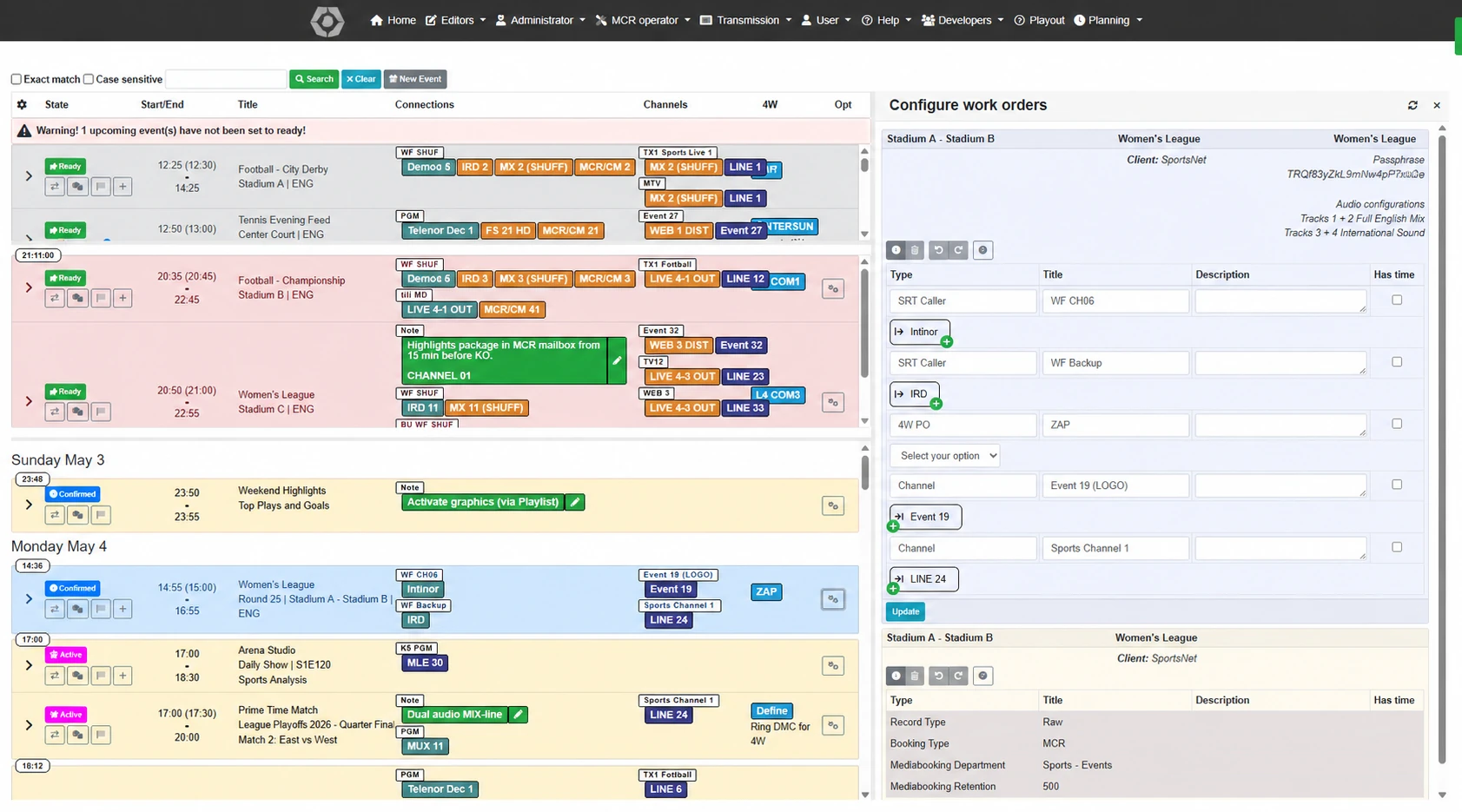
The MCR event overview separates upcoming, active and passed work that still needs completion. Operators can review feed details, readiness, connections and incidents without losing the event context.
From feed planning to MCR handover and completion
Plan each signal delivery in the event context, define its connections and give operators the details they need to carry out the work.
Plan feeds for the event
Add one or more feeds to an event task
Define connections
Select technical endpoints and build each feed path
Check delivery instructions
Review feed details and customer requirements where relevant
Hand over to MCR
Make the planned feeds and readiness visible to operators
Follow operational work
Work through upcoming, active and unfinished feed tasks
Complete and report
Record completion, incidents and operational notes
Feed overview: Connections, readiness and operational status
Review each feed's technical details and connection path alongside readiness, changes and the work still to be completed.
Match 3421 — Premier League Feeds
In productionFeed List
Broadcast feed planning capabilities
Feed planning
Plan one or more feeds on an event task, with a customer order link when the work fulfils a commitment.
Technical parameters
Track codecs, bitrates, delivery methods, signal formats and other technical requirements per feed.
Broadcaster requirements
Manage customer-specific feed specifications, delivery formats and broadcaster operational requirements.
Connection planning
Select reusable technical endpoints and arrange an ordered connection path for each feed.
MCR operational follow-up
Review upcoming, active and unfinished work, including readiness, incidents and completion.
Event-based feed tasks
Keep feeds and their technical instructions in the same event context as the operational task.
Powered by platform capabilities
Feed Management is strengthened by LiveAnchor's cross-platform capabilities.
Data Import & Rules Engine
Import event and feed planning data from external systems and map it into the shared operational model.
Template Management
Create reusable feed templates with predefined technical parameters for recurring delivery setups.
Change-Tracker™
Track relevant changes to feed details or event timing and notify affected people according to configured rules.
Why feed teams use this module
Event-connected feeds
Each feed belongs to an event task, with customer commitments linked where needed
Technical clarity
Codecs, bitrates and delivery methods tracked per feed in one place
Broadcaster alignment
Customer-specific requirements visible to the whole production team
Change awareness
Relevant changes can be reviewed and communicated to affected teams